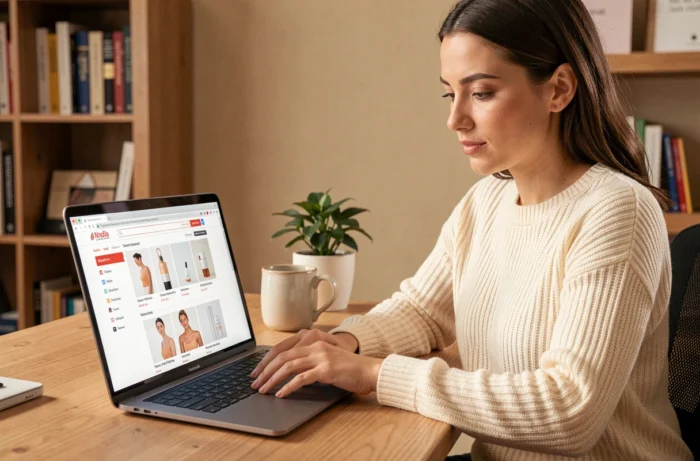
Looking for a serum, a review of a sunscreen, or an online store’s return policy, but going round in circles on the site without finding the right page? This is a common problem on beauty websites, which often contain hundreds of product pages, advice articles, and legal sections. Finding the right section quickly comes down to a few simple habits that require no technical skills.
Typical beauty website structure: sections to look for first
Before searching for a specific page, it helps to understand how a beauty website organizes its content. Most of these sites share a similar structure, even if section names vary from one brand to another.
The main menu at the top of the page groups broad categories: face care, body care, makeup, hair, and fragrances. Each category is then divided into subcategories (moisturizers, serums, cleansers). This is the most direct place to start.
The footer, often overlooked, brings together useful everyday sections: legal notices, delivery terms, return policy, FAQ, and contact details. If you’re looking for practical information rather than a product, start with the footer.
On a cosmetics store website, one section deserves special attention: the product page and its INCI ingredient list. The DGCCRF considers the ingredient list essential information that must be displayed on websites selling cosmetics online. If this list is missing, it’s a warning sign about the site’s reliability.
The sitemap: an overlooked shortcut for navigating a beauty website
Have you ever noticed a discreet link, often at the bottom of a page, called “site map” or “sitemap”? It leads to a page listing all the site’s sections and subsections, much like the table of contents in a book.
For example, the Beauty Boo sitemap illustrates this principle well: every product category, editorial page, and help section appears as a clickable link. On a single page, you can see all the content available.
The sitemap is the fastest way to find a specific page when the main menu isn’t enough. It’s especially useful on content-rich beauty websites, with advice blogs, tutorials, and buying guides by skin type.
Internal search bar: how to phrase your search on a beauty website
The search bar (often marked with a magnifying glass icon) is the second tool to try. On a beauty website, how you phrase your search can make a big difference to the results.
- Enter a specific ingredient rather than a vague need: “hyaluronic acid” will return more targeted results than “hydration.”
- Use the exact product name if you know it: the product code, brand name, or shade.
- To find a help section, try terms such as “delivery,” “returns,” or “contact” directly in the search bar.
A well-designed website will also offer automatic suggestions as you type. If no suggestions appear, the site’s internal search engine is probably limited. In that case, try the sitemap or an external search.
When the internal search comes up empty
Some beauty websites have an internal search engine that ignores editorial pages (blog posts, guides) and only returns product pages. If you’re looking for an advice article about skincare routines or a comparison, the internal search may leave you empty-handed.
The solution: use a Google search operator. In Google’s search bar, type site:website-name.fr followed by your search terms. For example, “site:example-beauty.fr dry skin routine” will show all pages on that site indexed by Google that match your search.
Accessibility and keyboard navigation on beauty websites
One aspect rarely covered in navigation guides is how people who can’t use a mouse access a website. Since June 28, 2025, e-commerce websites covered by the European Accessibility Act have had to meet accessibility requirements. These include keyboard navigation, form labels, and accessibility information about the service.
For visitors using a keyboard, a well-structured menu with clear labels is essential for accessing the sections of a beauty website. Microenterprises providing services may be exempt under certain conditions, but major online cosmetics retailers are covered.
In practice, if you’re navigating with a keyboard (pressing Tab to move from one link to another), a compliant website will let you reach every menu section without getting stuck. If keyboard navigation isn’t possible, the site has an accessibility issue that you can report.

Indexed pages and pages you can actually access: a distinction worth knowing
A page found by Google isn’t necessarily indexed, and not every page on a website is meant to be indexed. Search Console lets website owners check the status of a URL and the reasons it may have been excluded. A sitemap helps Google discover pages, but doesn’t guarantee they’ll be indexed.
For you as a visitor, this means a section may exist on a website without appearing in Google search results. In that case, the HTML sitemap (the page visitors can access) is still the best way to check whether a section exists.
- The XML sitemap is intended for search engines, not human visitors.
- The HTML sitemap is the readable version, designed to help you navigate.
- Always check the HTML sitemap before concluding that a page doesn’t exist.
On beauty websites that regularly publish new content (product launches, seasonal articles), recent pages may take several days to appear on Google. Going directly to the website avoids this delay.
Finding a page on a beauty website doesn’t require software or technical skills. The main menu covers products, the footer groups practical information, and the sitemap provides a complete overview. If these three starting points aren’t enough, Google’s “site:” operator can help. The most effective approach is to combine these methods depending on what you’re looking for: a product, advice, or information about the service.